 Hot Desk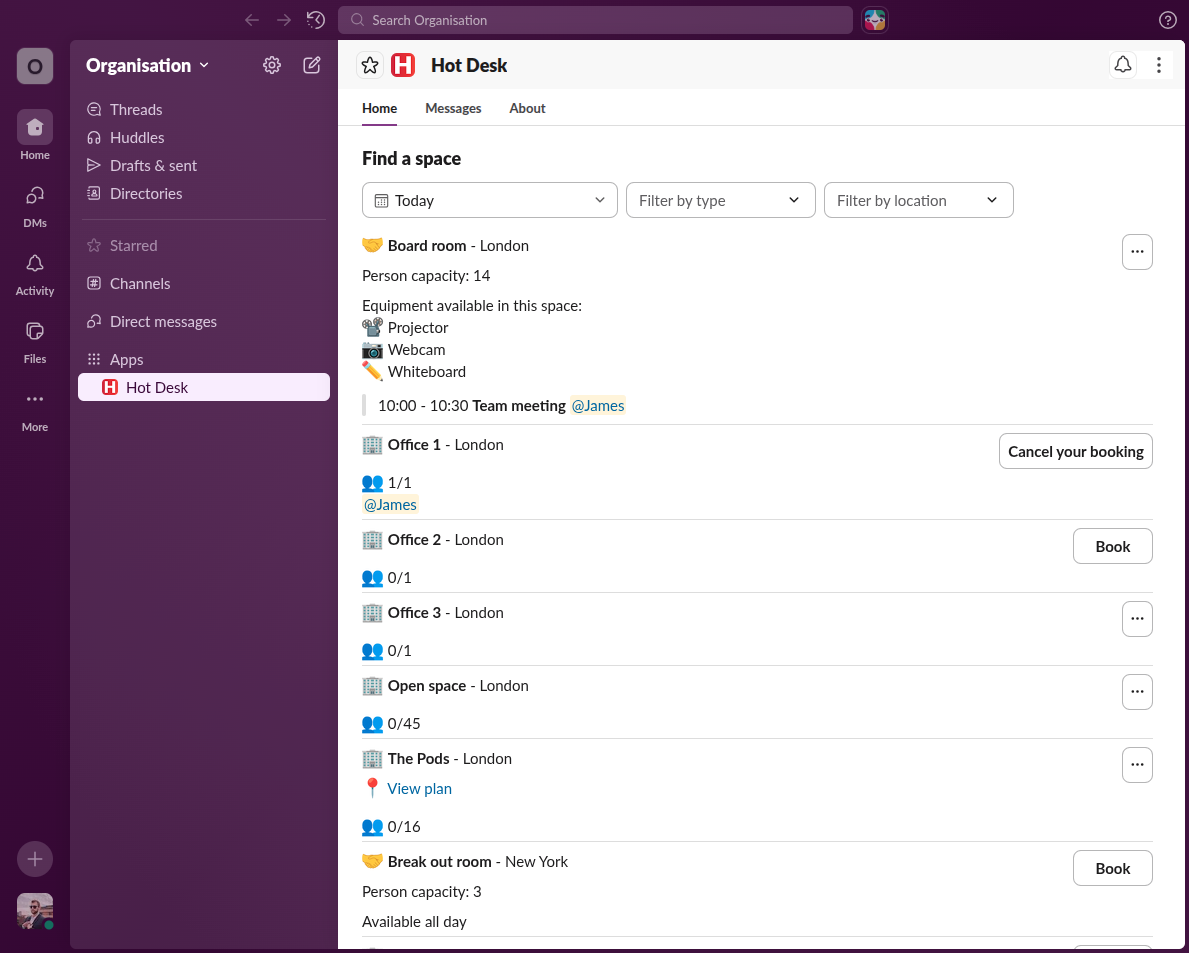
Need to find a desk or meeting room quickly on a specific day? Our new finder view lets you make a booking effortlessly without leaving Slack!
All users can access finder view from the Hot Desk home page. Switching to finder view shows all the spaces for a given day, giving an at-a-glance view of what desks and meeting rooms are available. Finder view allows filtering of spaces by desk, meeting room, or car parking - as well as by location - enabling fast and efficient booking.
It's quick and easy to find a desk or meeting room in Hot Desk.
- From within Slack click "finder view"
- Select the day you want to book and optionally add a filter for desk, meeting room, car park, as well as location
- Click book and you're done!
 Add to Slack